
Download FlashCapture – Free Flash Video Downloader & Snapshot Tool
Overview
FlashCapture is a lightweight Internet Explorer add‑on designed to make the process of saving Flash‑based videos and game screenshots as painless as possible. In an era where many video‑sharing platforms still rely on legacy Flash technology, the ability to capture a .SWF or .FLV file with a single click can protect you from losing content that might later be taken offline. FlashCapture embeds a compact Flash player that lets you preview captured clips directly from the add‑on, supporting popular sites such as YouTube, Dailymotion, MySpace, Vidmax, and even niche portals like tetesaclaques.tv.
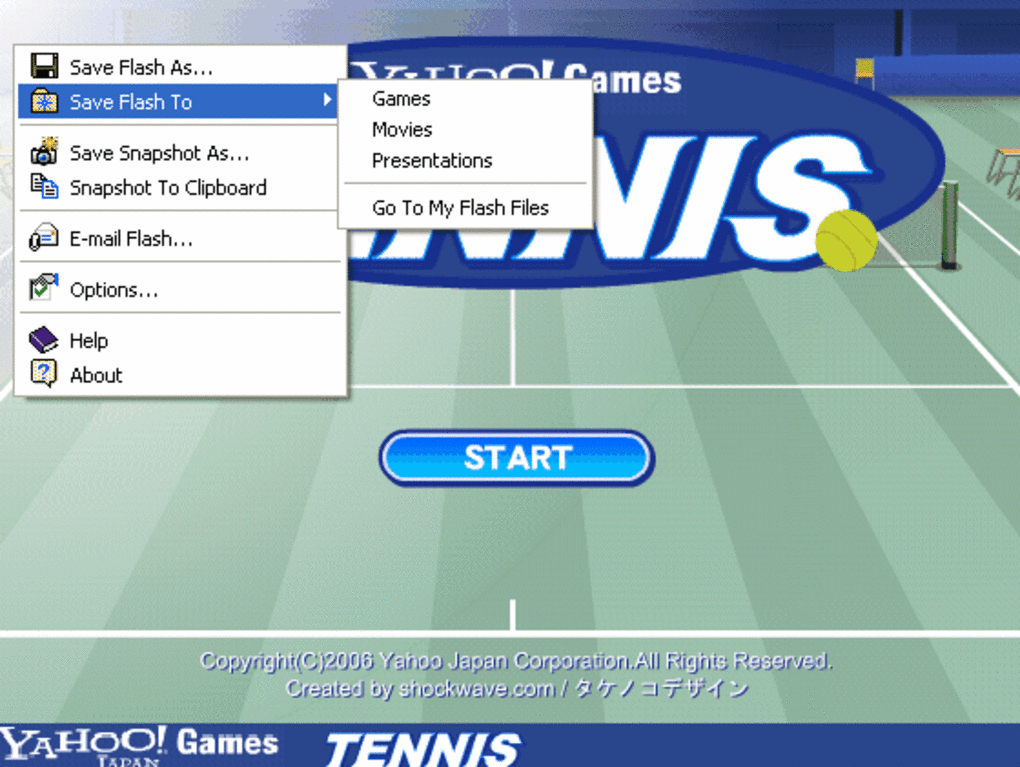
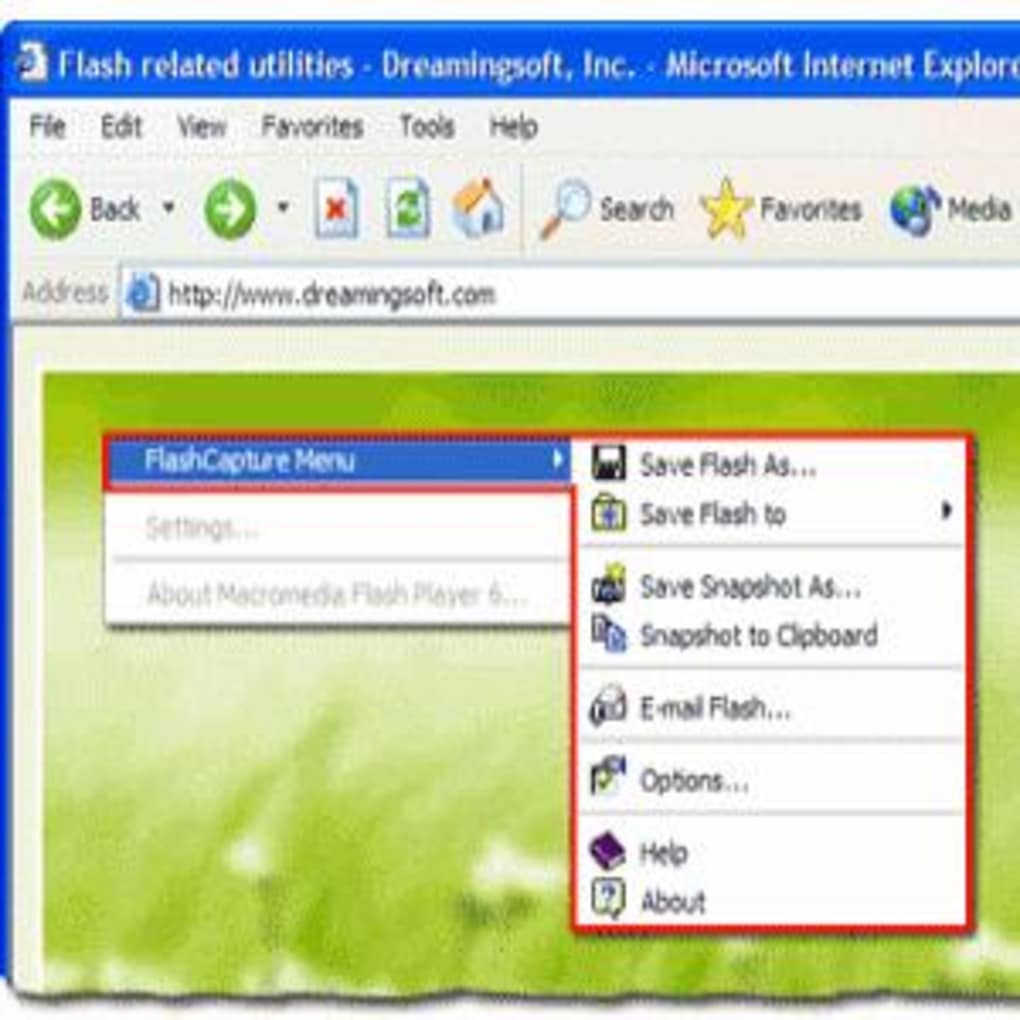
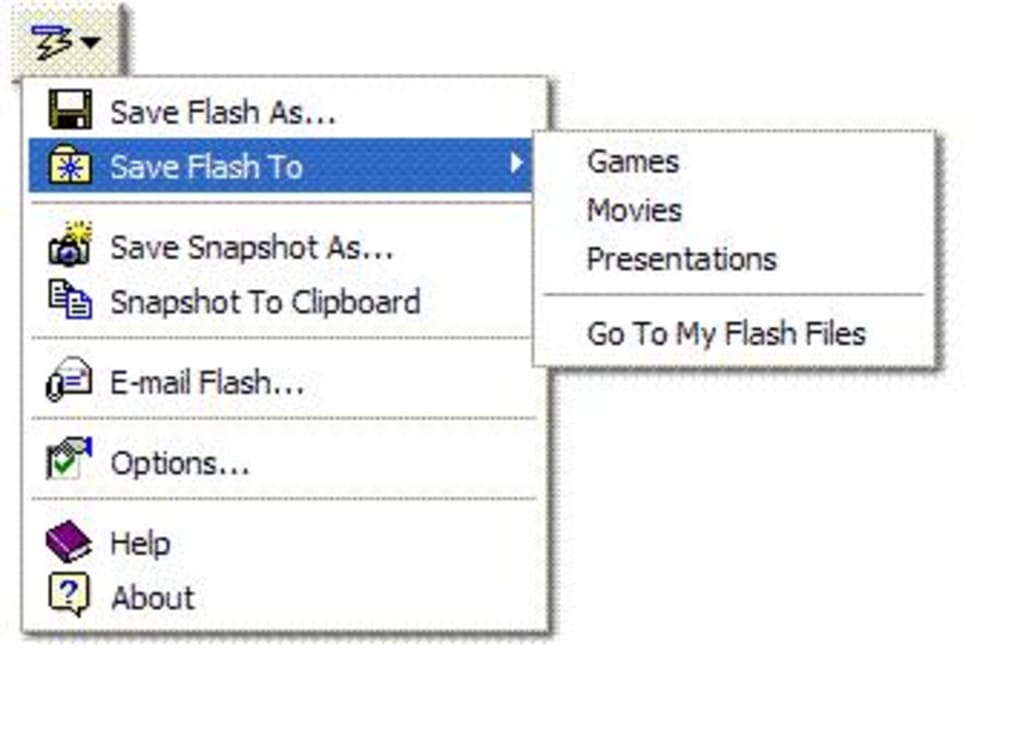
The capture workflow eliminates the need to dig through the Temporary Internet Files folder, a task that often proves frustrating for users unfamiliar with hidden system directories. With FlashCapture, a right‑click on any Flash element instantly presents a “Save Flash” option, while an optional floating button offers a visual cue for quick access. Once a video is saved, the tool lets you organise your library with custom categories, ensuring that you never lose track of a favorite clip.
If you regularly browse Flash‑heavy sites or simply want a reliable safety net for online video content, FlashCapture provides a secure, no‑cost solution that works entirely within Internet Explorer.
Key Features
- One‑Click Capture: Save Flash videos (.FLV) and animations (.SWF) instantly with a single right‑click.
- Built‑in Flash Player: Preview captured files without leaving Internet Explorer.
- Wide Site Compatibility: Works on YouTube, Dailymotion, MySpace, Video.Google, Vidmax, and many other Flash‑based platforms.
- Floating Capture Button: Optional on‑screen button that appears over Flash objects for quick access (can be disabled).
- Category Management: Organise saved clips into custom folders or tags for easy retrieval.
- Lightweight Design: Minimal impact on browser performance and system resources.
- Free & Secure: No hidden fees, no adware, and fully compatible with standard IE security settings.
- Automatic Updates: The add‑on checks for newer versions when Internet Explorer starts, ensuring you always have the latest bug fixes.
Installation & Usage Guide
Installing FlashCapture is straightforward. First, download the installer from the official website. The file is a small .exe package, typically under 2 MB, which makes the download quick even on slower connections.
Once downloaded, run the installer; you’ll be prompted to confirm that you want to add a new extension to Internet Explorer. Accept the permissions, and the installer will copy the necessary files into the IE add‑on directory and register the component with Windows. After a brief restart of Internet Explorer, you’ll notice a new FlashCapture icon in the toolbar.
Using the tool is even simpler. Navigate to a page that contains a Flash video or animation. Right‑click directly on the Flash object and select “Save Flash with FlashCapture” from the context menu.
The add‑on will instantly begin downloading the underlying .SWF or .FLV file to the default folder (usually C:\Users\your‑name\Documents\FlashCapture). If you prefer the floating button, enable it in the FlashCapture settings; a small translucent button will appear whenever your cursor hovers over a Flash element. Clicking this button triggers the same download process.
Once the file is saved, you can open it directly from the FlashCapture folder or use the built‑in player by double‑clicking the entry in the add‑on’s history list. The player supports basic playback controls—play, pause, rewind—allowing you to verify the capture before moving it to a permanent location.
For users who like to keep their library tidy, FlashCapture includes a categorisation dialog that appears after each successful capture. You can assign the video to an existing category or create a new one on the fly. Categories are stored in a simple XML file, making it easy to edit or back up your organisation structure.
If you ever need to change the default download folder, head to the settings panel, click “Browse,” and select a new directory. The tool will automatically migrate existing files to the new location on the next launch. Overall, the installation and daily workflow require only a few clicks, delivering a frictionless experience that saves time and prevents data loss.
Compatibility, Pros & Cons
FlashCapture is built exclusively for Microsoft Windows environments that still run Internet Explorer (versions 6 through 11). Because the add‑on relies on IE’s COM architecture, it does not support alternative browsers such as Chrome, Firefox, or Edge. Users on macOS, Linux, or mobile platforms (Android, iOS) will need to use a Windows virtual machine or a remote desktop solution to take advantage of FlashCapture.
Pros
- Instant one‑click saving eliminates the need to hunt for temporary files.
- Integrated player lets you preview captures without leaving the browser.
- Free, with no hidden charges or intrusive advertisements.
- Supports a broad range of popular Flash video sites.
- Category system helps keep large video collections organized.
- Lightweight footprint ensures IE performance remains smooth.
Cons
- Works only with Internet Explorer; not compatible with modern browsers.
- Limited to Windows; macOS and Linux users must rely on a VM.
- The floating capture button can be distracting if left enabled.
- Does not support HTML5 video formats, which are increasingly common.
- Occasional false‑positives on sites that embed Flash but restrict downloading.
Frequently Asked Questions
Is FlashCapture completely free?
Yes, FlashCapture is offered at no cost. There are no hidden fees, subscription plans, or mandatory upgrades. The developers fund the project through optional donations.
Can I use FlashCapture on browsers other than Internet Explorer?
Unfortunately, no. FlashCapture relies on IE’s COM add‑on architecture, so it works exclusively with Internet Explorer versions 6‑11 on Windows.
Does the tool capture HTML5 videos?
FlashCapture is designed specifically for Flash‑based content (.SWF, .FLV). It does not support HTML5 video formats such as .MP4 or .WEBM. For HTML5 captures, consider a dedicated downloader that targets those codecs.
How secure is the downloaded video file?
The download process is performed locally; FlashCapture does not transmit your captured files to external servers. As long as you keep your Windows security updates current, the files are as safe as any other content stored on your hard drive.
Can I disable the floating capture button?
Yes. Within the FlashCapture settings panel you can toggle the floating button on or off. Disabling it removes the overlay while preserving the right‑click capture functionality.
Conclusion & Call to Action
For users who still rely on Internet Explorer to access legacy Flash content, FlashCapture offers a fast, secure, and absolutely free way to preserve videos and animations before they disappear from the web. Its one‑click capture, built‑in player, and straightforward categorisation system remove the typical hassle of hunting through temporary files or using complex command‑line tools. While the exclusive IE dependency limits its audience, within that niche the add‑on stands out as a reliable, low‑maintenance solution. If you’re looking to safeguard your favorite Flash clips or simply want a hassle‑free method to download online videos, give FlashCapture a try today. Click the download button below, install the add‑on, and start building your personal Flash video library in seconds.







